

When considering deploying Microsoft 365 Copilot across their organization, every IT and security team should ask: “is the organization ready for AI to reason over the data users can already access?”
The platform is designed to work inside Microsoft 365 security, privacy, and compliance protections. Microsoft also states that Copilot honors existing permissions and does not use customer data to train foundation models.
That still leaves an important deployment issue.
Copilot can make existing permission problems easier to find.
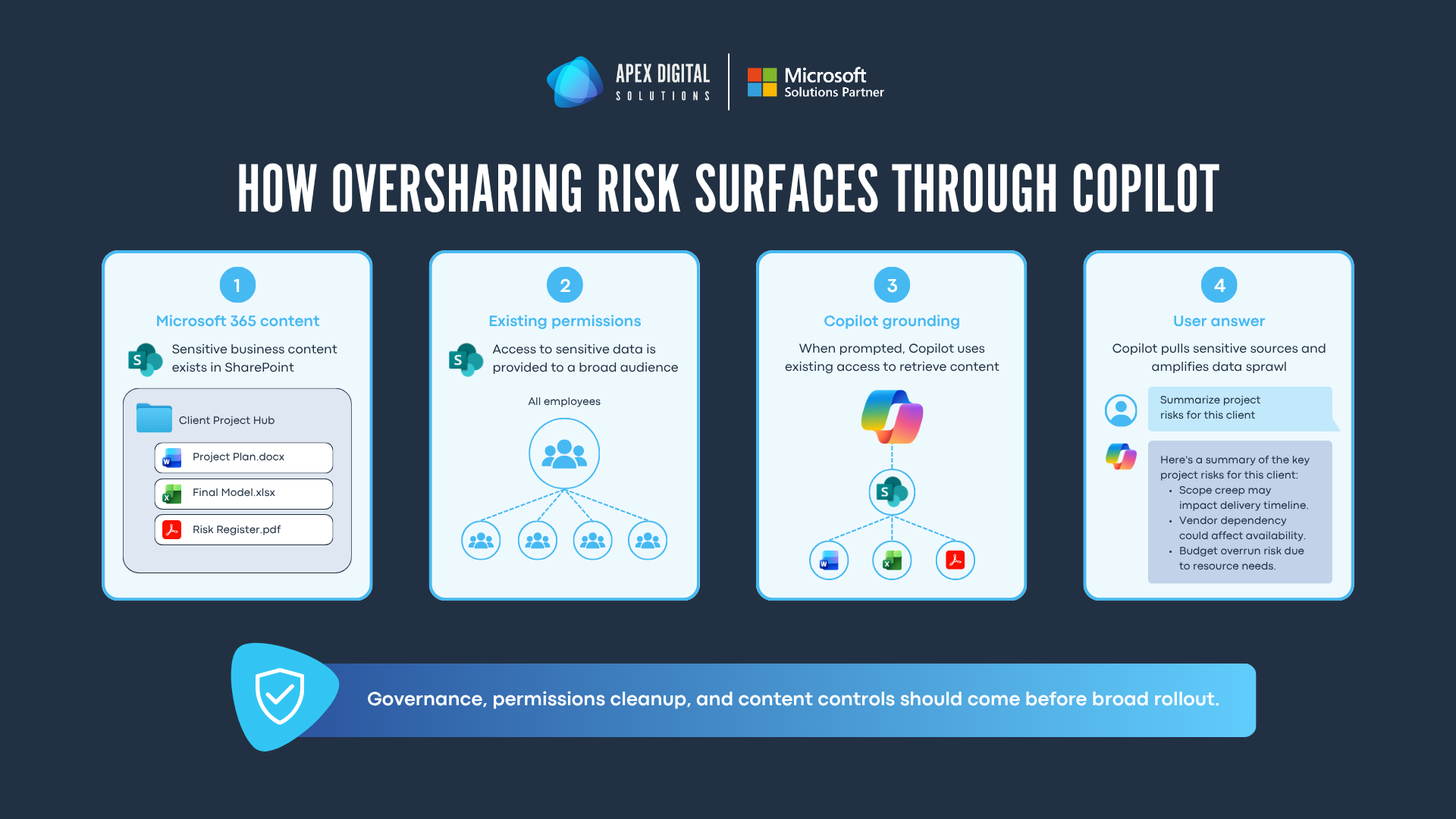
A file, site, chat, mailbox item, or meeting artifact that is already available to the wrong audience can become easier to surface through a natural-language prompt.
The risk usually starts in familiar places: broad SharePoint audiences, company-wide sharing links, broken permission inheritance, ownerless sites, stale content, and sensitive files stored in collaborative spaces without enough governance.
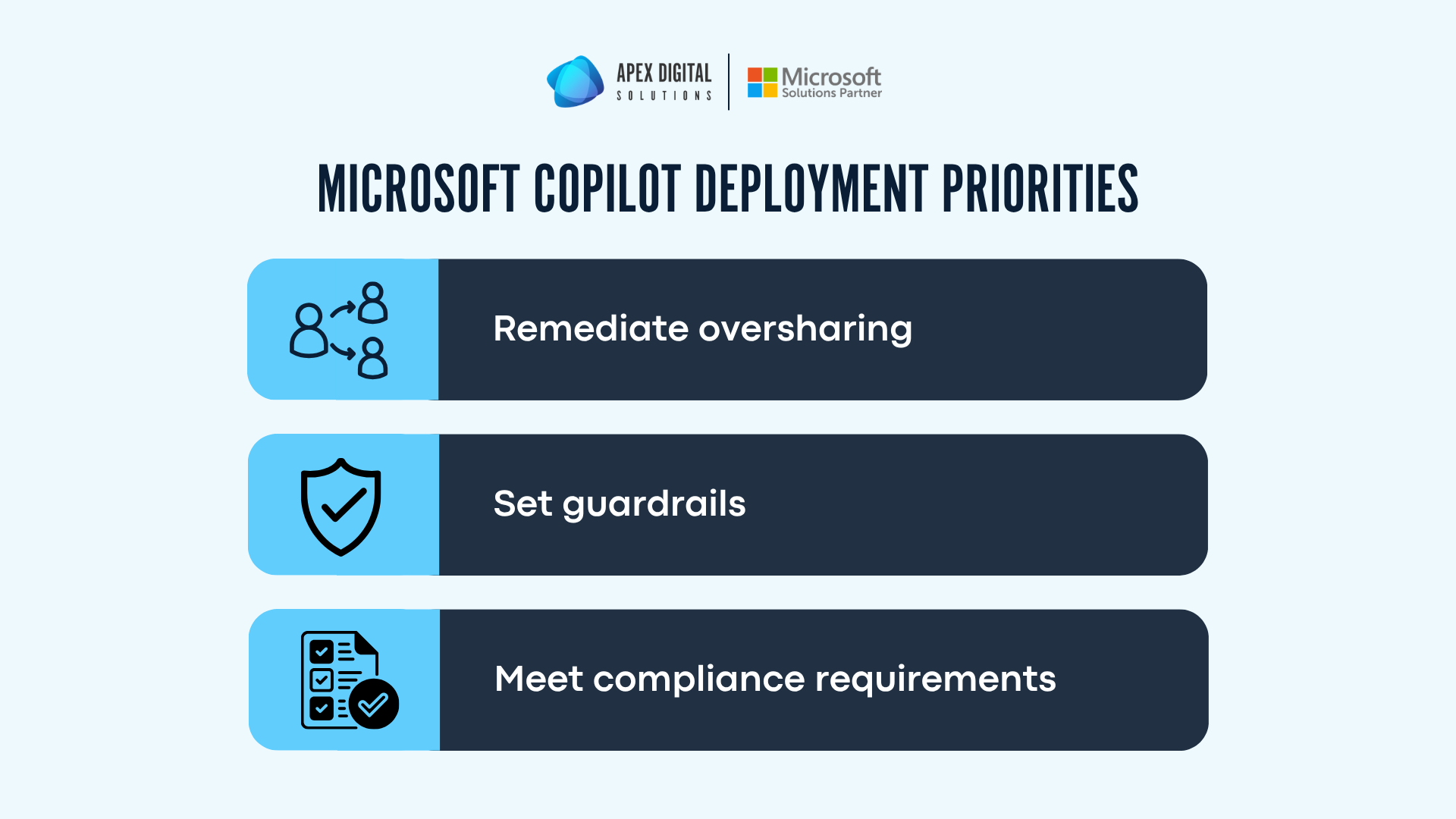
Microsoft’s current deployment blueprint gives IT teams a useful sequence for handling this work. The framework is organized around three priorities: remediate oversharing, set up guardrails, and meet regulations.
Why Microsoft 365 Copilot exposes governance gaps faster
Microsoft 365 Copilot uses Work IQ and Microsoft Graph signals to ground responses in the content a user already has permission to access. That access model is valuable because employees can ask better questions across their work data. It also means old permission decisions matter more once Copilot is available to more people.
Before Copilot, a user may have had access to a sensitive SharePoint library without realizing it. They would need to know where to search, what terms to use, and how to interpret the results. With Copilot, a natural-language prompt can summarize, compare, and connect information across Microsoft 365. That makes excessive access visible faster.
This is the difference between platform security and tenant readiness. Microsoft provides security commitments, service boundary protections, audit capabilities, and integration with Microsoft Purview. Your organization still controls user access, sharing configuration, site ownership, lifecycle decisions, retention requirements, and how sensitive content should be handled.
A three-part framework to best ensure a secure Microsoft 365 Copilot rollout
1. Remediate oversharing before users start prompting Copilot
This stage helps IT teams find the content and sites most likely to create risk, contain exposure while cleanup is underway, and correct the permission model so interim controls can eventually be removed.
Microsoft recommends starting with high-risk sites and content. In practice, this means reviewing Microsoft Purview Data Security Posture Management assessments for overshared sites, sensitive data, risky sharing links, and frequently accessed content.
It also means running SharePoint Advanced Management assessments to identify oversized audiences, company-wide access, broken inheritance, inappropriate sharing, inactive sites, and ownerless sites.
This step should produce a prioritized remediation list.
The highest-priority targets are usually sites that combine sensitive content with broad access.
Examples include:
- Finance libraries
- HR sites
- Executive planning content
- Legal files
- Donor or client records
- Project workspaces that accumulated permissions over time
During remediation, some organizations need temporary protections. Restricted Content Discovery in SharePoint Advanced Management can help exclude sensitive sites from tenant-wide search and Microsoft 365 Copilot discovery while access is reviewed. Microsoft’s Restricted Content Discovery guidance makes clear that this is a containment tool. It does not change the underlying permissions on a site, and it should not replace cleanup.
Data Loss Prevention for Microsoft 365 Copilot can also help restrict Copilot from processing sensitive content for grounding or responding to prompts that contain specified sensitive information.
The durable fix still comes from permission remediation. Site owners and administrators need to remove excess users and groups, rescope broad sharing links, correct broken permission inheritance, confirm ownership, apply site sensitivity labels, and address sharing links that are too permissive. Once access is corrected, interim Copilot restrictions can be removed where appropriate.
2. Set guardrails that stay in place after launch
After the most urgent oversharing issues are addressed, the next priority is preventing the same problems from returning.
Guardrails should be enforced by default through tenant settings, provisioning decisions, labels, policies, and monitoring. Manual cleanup will likely always be needed in some cases, but the operating model should reduce the amount of cleanup required over time.
Start with secure defaults. Microsoft’s blueprint recommends Restricted Access Control for business-critical sites, tighter tenant-level sharing controls, limits on company-wide sharing groups and Anyone links, and site sensitivity labels at provisioning. These controls reduce the chance that a new site or workspace launches with overly broad access.
Then define how sensitive data should be used with Copilot. Microsoft Purview Information Protection can apply sensitivity labels to files, emails, groups, Teams, and SharePoint sites. Those labels can then support policies that decide whether Copilot can use specific labeled content for grounding or whether prompts containing sensitive information should be restricted.
DLP policies matter because Copilot changes how users interact with sensitive data. A user may ask Copilot to summarize, extract, or transform information rather than opening a file directly. Purview policies give organizations a way to define where sensitive data can be used, when it should be blocked, and when alerts should be created for investigation.
Guardrails also need monitoring. Microsoft’s guidance points to Purview Data Security Posture Management Activity Explorer, data risk assessments, DLP alerts, and Insider Risk Management alerts as signals that can help administrators review Copilot interactions, prompts, responses, web search keywords, sensitive data activity, and risky usage patterns.
A secure Microsoft 365 foundation is one of the first steps toward Copilot readiness.
Before Copilot can deliver value safely, your organization needs confidence in the security controls, identity settings, data protection policies, and risk signals already in place across your environment.
Apex Digital’s funded Microsoft Security Workshops help eligible organizations identify security gaps, prioritize next steps, and strengthen their Microsoft 365 foundation.
3. Meet compliance requirements without slowing down adoption
Organizations need to know whether AI-related risks are being assessed, whether Copilot activity is auditable, whether legal discovery requirements can be met, and whether obsolete content should remain available for Copilot grounding.
Microsoft Purview Compliance Manager can help organizations assess regulatory requirements and track improvement actions. Microsoft maintains a Compliance Manager regulations list that includes templates organizations can use when building assessments. The important operational point is that regulatory readiness needs owners, assigned actions, progress tracking, and evidence.
Audit retention should also be reviewed before rollout. Organizations should decide how long to keep audit log activity based on regulatory, internal, and legal requirements. They should also decide how long to keep Copilot interactions, when to delete them, and how to preserve or produce Copilot-related content for audits or legal requests through Microsoft Purview eDiscovery.
Data hygiene can influence both risk and answer quality. If Microsoft 365 contains obsolete sites, stale files, outdated versions, ownerless workspaces, and unmanaged records, Copilot may reason over content that no longer reflects the current state of the organization. Microsoft’s blueprint recommends site lifecycle hygiene, Microsoft 365 Archive for inactive but valuable content, retention and deletion policies, retention labels, and archive decisions that preserve records while reducing the content surface Copilot can process.
This is where Copilot readiness becomes a broader Microsoft 365 governance exercise. The same work that reduces oversharing risk can also improve search quality, simplify compliance conversations, and give leadership more confidence in rollout planning.
A practical Microsoft 365 Copilot readiness checklist
- Identify high-risk SharePoint sites, Teams workspaces, OneDrive content, Exchange content, and sensitive files that could be surfaced by Copilot.
- Review overshared sites, risky sharing links, broken permission inheritance, company-wide access, ownerless sites, and inactive sites.
- Apply temporary containment where needed through Restricted Content Discovery or Purview DLP for Copilot.
- Validate that restricted content is no longer being surfaced through audit and reporting.
- Remove excess users, groups, broad links, and inappropriate access from high-risk sites and files.
- Apply site sensitivity labels and default document labels where they support governance requirements.
- Set secure defaults for new sites, sharing links, business-critical workspaces, and provisioning workflows.
- Define DLP policies for sensitive files, emails, and prompts that should not be processed by Copilot.
- Review Insider Risk Management, DLP, and Activity Explorer signals as usage grows.
- Define audit retention, eDiscovery, lifecycle, archiving, and deletion requirements for Copilot-related content.
- Assign owners for ongoing review so Copilot governance becomes part of the Microsoft 365 operating rhythm.
Frequently asked questions about Microsoft 365 Copilot security
Microsoft 365 Copilot is designed to operate within the Microsoft 365 service boundary and respect existing Microsoft 365 security, privacy, and compliance protections. Safe adoption still depends on tenant readiness, especially permissions, sharing controls, sensitivity labels, DLP, audit, and lifecycle management.
Copilot can only access content the signed-in user is authorized to access. The risk appears when a user already has excessive access because of broad sharing, broken inheritance, company-wide links, or stale permissions. Copilot can make that existing access easier to use.
SharePoint Advanced Management helps administrators assess and manage SharePoint sites, content, access, sharing, lifecycle, and discovery. Capabilities such as content management assessments, site access reviews, Restricted Content Discovery, and Restricted Access Control can support Copilot readiness.
Purview DLP for Copilot can help restrict Copilot processing of sensitive files and emails with specific labels and restrict responses to prompts containing specified sensitive information. Policies should be tested and validated through reporting and audit.
Start with prioritized risk. Identify the sites and content most likely to create exposure, apply interim protections for those high-risk areas, remediate access and permissions, and then put guardrails in place so new oversharing is less likely to be introduced after rollout.
How Apex Digital can help
A secure Microsoft 365 Copilot rollout starts with clarity. IT leaders need to know where sensitive data lives, where access is too broad, which guardrails are already in place, and which compliance decisions still need to be made.
The right path is usually a sequence: assess the environment, prioritize oversharing risk, apply temporary protections where needed, remediate permissions, enforce guardrails, and review the environment on a recurring basis.
Apex Digital helps organizations assess, deploy, and manage Microsoft 365 environments with that operating model in mind. If your team is preparing for Copilot or trying to strengthen governance after rollout, we would be happy to talk through what a Microsoft 365 assessment could look like for your organization. Book a no-cost call with Apex Digital.