

If you’ve still got an aging server tucked in a closet or back room, at some point the question stops being whether it works and becomes whether you still need it. Here’s how to know when it’s time to retire an on-premise server, what that old hardware quietly costs you, and when keeping it on-prem still makes sense.
Every environment has one: A server humming away in a closet, a back room, or that mystery cabinet behind the breakroom fridge. Nobody is totally sure what it does anymore. The person who set it up left two reorgs ago. The password lives on a sticky note that has its own legend at this point. And every time someone suggests touching it, the room goes quiet, because touching it might wake something up. The server is also most likely headless and has no mouse or keyboard insight. The local site contact knows only how to push the power button and pray.
I’m not making fun of that server. Honestly, I respect the commitment. It’s got better uptime than most of our New Year’s resolutions.
What we should discuss is why it’s still sitting there, and why that’s completely understandable, right up until it isn’t.
The challenge with addressing legacy infrastructure: “We’ll get to it”
Cleaning up legacy infrastructure never wins the priority fight. It can’t. It’s going up against the new product launch, the customer-facing app, the thing that actually shows up in a board deck. “Decommission the old branch server” has never once made a roadmap look exciting. So, it slides. Next quarter. Next budget cycle. Next guy.
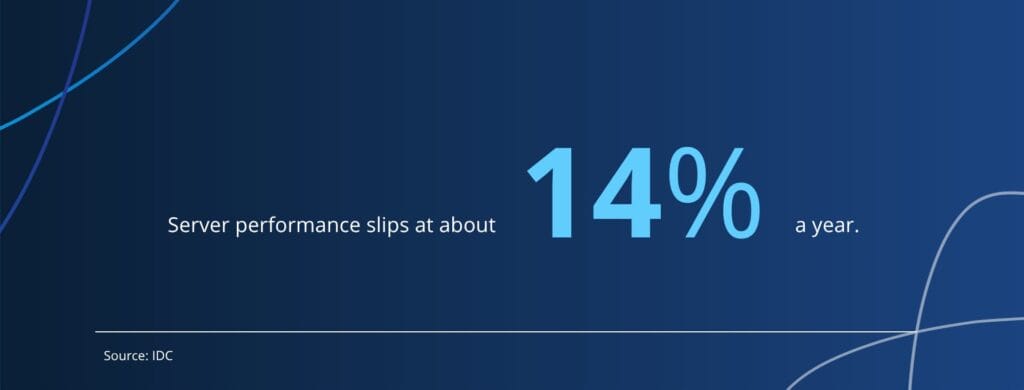
And that’s rational. In the moment, every single time, pushing it off is the sensible call. There’s always a real fire that matters more today. The problem is that the moment happens about forty times in a row, and now it’s been six years and the box is older than half your team. And age isn’t just cosmetic: IDC found server performance slips about 14% a year, so a five-year-old box is running at roughly 40% of what it once could.
The hidden costs of on-prem servers
Here’s the sneaky part. On-prem hardware charges you in ways that never land as a clean line item.
- The truck roll. Something hangs, and now an actual human is driving out to a branch to power-cycle a box. Mileage, time, and the quiet dignity of a senior engineer crawling around under somebody’s desk.
- The bus factor. Exactly one person knows how the thing works, and you really, really hope they never take a long vacation. Or a different job.
- The eBay supply chain. Replacement parts for end-of-life gear are now coming from a seller named something like RackDeals_99. Your business continuity plan has a 4.7-star rating and ships in 5 to 7 business days.
- The security exposure. Old hardware usually means old software, which usually means old assumptions about how the world works. It’s not that it’ll definitely get hit. It’s that it’s quietly raising its hand and volunteering. And the odds aren’t kind: Verizon’s 2025 Data Breach Investigations Report found attackers used an unpatched vulnerability as the way in for one in five breaches — up 34% in a single year.

None of that shows up in the budget as “legacy infrastructure.” It shows up as overtime, incidents, downtime, and this low-grade feeling that everything is just harder than it should be. And when something finally does go down, it lands hard: small and midsize businesses lose somewhere between $8,000 and $25,000 for every hour of downtime.
Owning stuff is a commitment
The more on-prem hardware you’ve got, the more you have to power, cool, patch, monitor, secure, and eventually grieve. Every box is a little ongoing relationship. And CapEx has this funny way of locking you in. Once you’ve spent the money on the thing, the thing becomes the reason you can’t change direction. “We can’t move to that; we just bought this.” Congrats, your last purchase is now your strategy.
That’s the cost that actually gets you. Not the dollars, the agility. It’s hard to turn quickly when you’re carrying a filing cabinet. The heavier your footprint, the slower the turns, and the more often the right move loses out to the move you’ve already paid for.
Hardware isn’t the villain
Sometimes you genuinely need it. OT, latency-sensitive workloads, the site-specific apps that have to live where they live. Those are real, and there’s zero shame in running on-prem for them. On-prem isn’t a moral failing. Some things belong there and probably always will.
The question was never “is on-prem bad?” It’s quieter than that, and a little more uncomfortable.
 Do we still need this, or did we just stop asking?
Because there are way more options now than there used to be. A lot of what used to need a box in a closet just doesn’t anymore. And a surprising number of those closet servers are still running not because anyone decided they should be, but because nobody ever put the conversation on a calendar. The upside is that plenty of those workloads run comfortably in the cloud now, on platforms like Microsoft Azure, which is built for exactly this kind of migration off aging hardware.
Thinking about moving off that hardware?
See how we handle data migrations — from aging on-prem boxes to the cloud, without the drama.
When to retire a server
Every now and then, walk the estate and ask the awkward question about each thing you’re still running. Not to rip it all out. Just to figure out what’s actually load-bearing and what’s just habit.
The server in the closet has earned its retirement. Somebody just has to be brave enough to throw the party.
Frequently asked questions about retiring an on-prem server
Look for the practical signals. The hardware is past its service life, replacement parts are getting hard to find, only one person knows how it works, the software no longer gets security patches, and it keeps pulling people away for after-hours fixes. When the cost and risk of keeping it outweigh the effort to replace it, it’s time.
Most of them never appear as a line item. They show up as team members need to drive out to power-cycle a box, overtime and incident response, downtime, rising power and cooling bills, scarce end-of-life parts, and security exposure from outdated software. The largest cost is often lost agility, since a heavy on-prem footprint makes it harder to change direction.
It depends on the workload. Latency-sensitive systems, operational technology, and some site-specific applications may genuinely belong on-prem. Many other workloads that once required a local server now run well in the cloud. The honest approach is to review each system and decide on purpose rather than by default.
Most servers reach end-of-life around five years after release, when manufacturers wind down support and security patches. Plenty of businesses run them well past that point, which steadily raises maintenance costs and security risk.
