
A practical (and mildly affectionate) reality check on getting real value out of Microsoft Copilot.
KEY TAKEAWAYS
- Microsoft 365 Copilot only pays off once your data and permissions are in order. It inherits every access mistake you already have.
- Most “Copilot isn’t delivering value” problems trace back to messy, excessive, or stale data.
- Two things drive real ROI: well-built prompts and connecting Copilot to the right information, and nothing it should not see.
- Copilot agents need a defined outcome, narrow permissions, and monitoring before they touch anything irreversible.
ON THIS PAGE
Let’s get one thing out of the way up front: Copilot can be genuinely great. It lives inside the tools your people already use, it speaks fluent Word, Excel, Outlook, and Teams, and it has the entire weight of the Microsoft ecosystem standing behind it like a very large, very well-funded bodyguard. When it works, it feels like magic. You ask for a summary of a 40-message email thread and it hands you three tidy bullets, which is super helpful.
So yes. Copilot is great. It is also not a magic wand, a miracle cure, or a substitute for knowing what you actually want. The sooner organizations make peace with that, the sooner they get real value out of it. So let’s talk about where that value actually comes from, what needs to be true before you flip the switch, where everyone gets stuck, and how to let agents loose without them running amok.
First, a simple way to think about value from Microsoft Copilot
A tool delivers value when it shrinks some combination of three things: cost, effort, and the time it takes to reach an outcome. If a task that used to eat your afternoon now takes ten minutes and produces something just as good, that’s value. Easy.
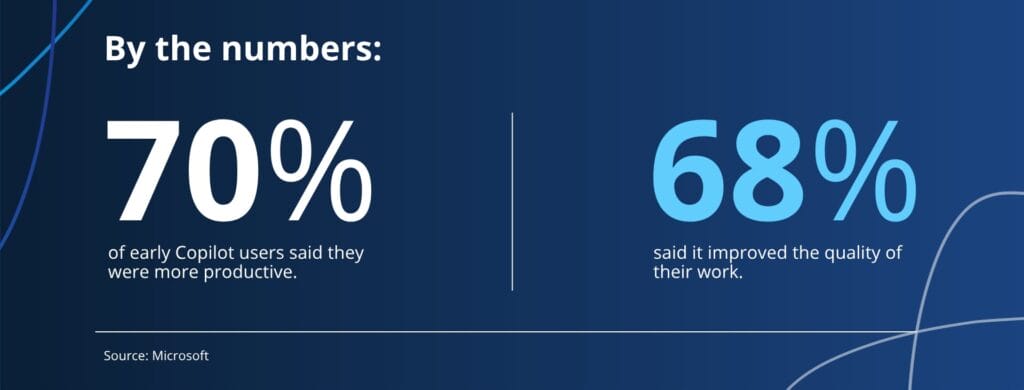
There’s also a second, less rigorous category we should be honest about: the tool that makes things harder but is so undeniably cool that nobody cares. We’ve all greenlit one of those. It’s fine. Just know which category you’re in, because finance eventually asks.
Copilot, used well, lands firmly in the first category. Used badly, it can quietly land in a third category nobody wants: more expensive, slower, and confidently wrong. The difference between those outcomes has less to do with the AI and almost everything to do with what you feed it.
Copilot is not a cure-all (and that’s completely okay)
Here’s the framing that saves organizations a lot of grief: Copilot, and AI in general, is not a panacea. It is a tool. And like every tool ever invented, it arrives with advantages, disadvantages, and a certain amount of baggage.
It can hallucinate, it can be confidently wrong in a tone that sounds extremely right, and it is only ever as good as the information it’s allowed to touch. The baggage is the part people underestimate: governance, data hygiene, change management, and the very human tendency to trust anything that answers in complete sentences.
None of this is a reason not to use it. It’s a reason to use it with care.
What needs to be in place first: governance and permissions
Before Copilot writes a single summary, ask the unglamorous question: can it only see the data each person is actually allowed to see?
This is where most organizations get stuck, and it’s not a small thing. We’ve discussed this in detail here. But here’s the quick version:
Copilot inherits your permissions. If your file shares have spent the last decade accumulating “eh, just give everyone access” decisions, Copilot will cheerfully surface that salary spreadsheet to the intern who asked an innocent question. The AI didn’t break anything. It just did exactly what your permissions allowed, very efficiently, in front of everyone.
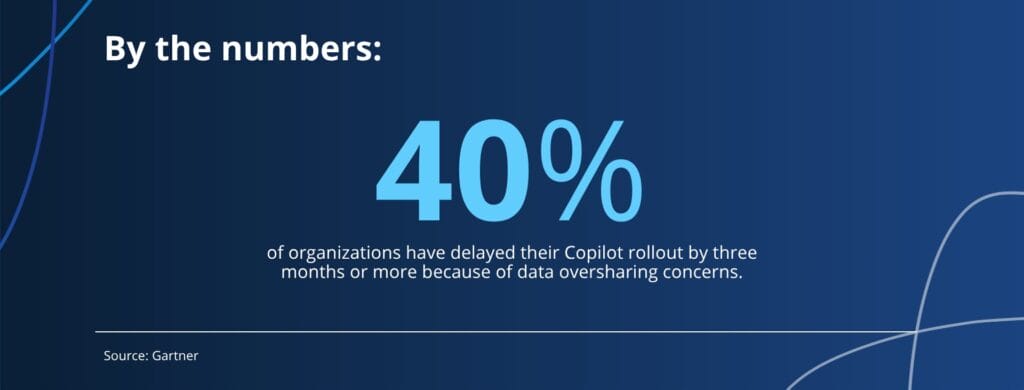
Governance is the boring foundation that makes everything else safe. Get the access controls right first. Then turn on the clever stuff.
FREE EXECUTIVE GUIDE
Not sure whether your environment is ready? The Executive’s Guide to Getting Ready for Microsoft Copilot walks leaders through the questions to ask before you roll Copilot out.
Why Copilot isn’t delivering value for your organization
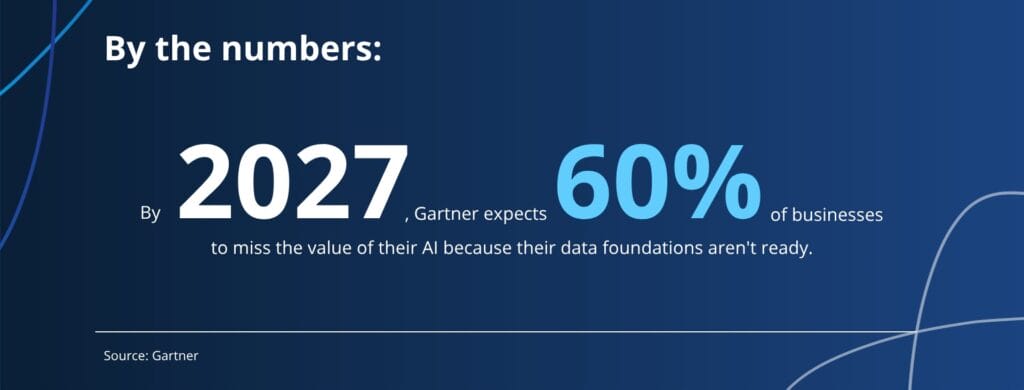
Besides permissions, the other classic trap is data: too much of it, the wrong kind of it, or worse, stale versions of it.
- Too much data. When everything is “important,” nothing is. Copilot has to dig through the noise, and so do you.
- The wrong data. If the information that actually matters lives in someone’s head, a sticky note, or a system Copilot can’t reach, no prompt on earth will conjure it.
- Stale data. This is the quiet killer. Copilot will happily summarize last year’s pricing, the old org chart, or the policy you retired two reorgs ago, and it’ll do it with total confidence. Outdated answers delivered fluently are arguably worse than no answer at all.
The fix is unsexy and effective: clean up, curate, and retire. Give Copilot less, but make it the right less.
How to set up Copilot to deliver real value
Two ingredients turn Copilot from “neat demo” into “actual ROI”:
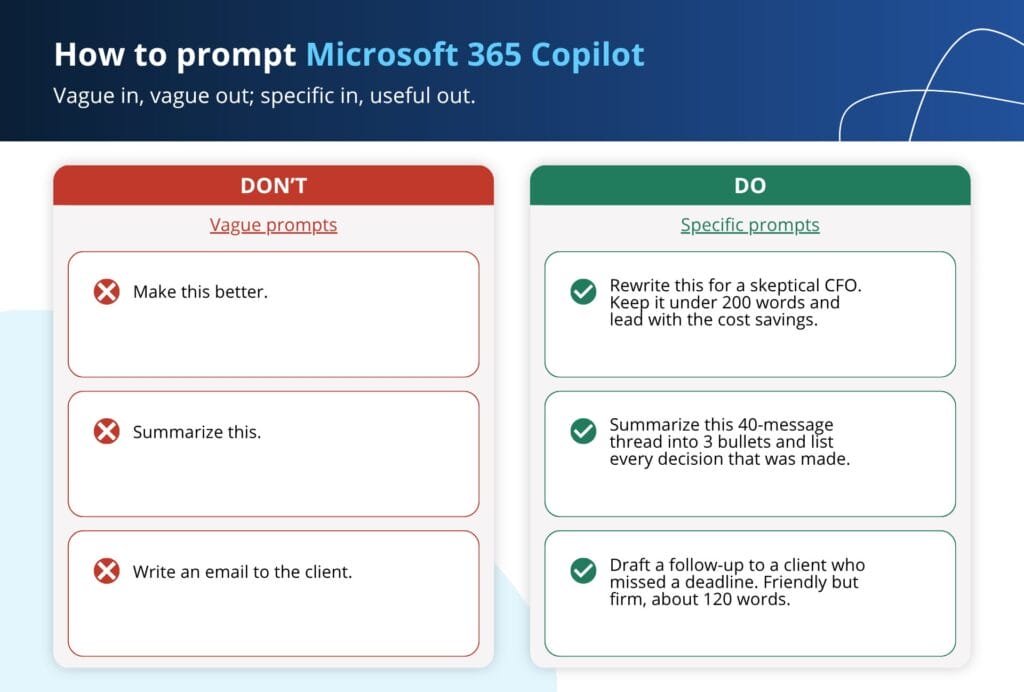
- Genuinely good prompts.
Vague in, vague out. “Make this better” gets you a shrug in paragraph form. “Rewrite this for a skeptical CFO, keep it under 200 words, lead with the cost savings” gets you something useful. Prompting is a skill, and it’s worth teaching your people.
- The right access to the right information.
Copilot can’t reason about data it can’t reach. Connect it to the sources it actually needs, and nothing it doesn’t.
Get those two right and the value equation tilts hard in your favor. Setting that up is most of what our Microsoft Copilot services help teams put in place.
Microsoft Copilot agent guardrails
Quick definition first, since “agent” now gets used to mean roughly everything. A Copilot agent is a purpose-built assistant you configure for a specific job and then let act on your behalf: pulling information, drafting and sending things, kicking off a workflow, rather than simply answering when you ask. Think less “smart search box” and more “junior colleague who can actually push buttons.” That ability to take action is exactly what makes agents useful, and exactly why guardrails are so important.
A few principles keep agents useful instead of alarming:
- They should fit into the workflow in a controlled, predictable way.
- They should have a predefined, expected outcome. You should know what “done” looks like before you ever turn it on.
- They should be stress-tested relentlessly before production. Iterate against them again and again. Tell them jokes. Send them weird, malformed, nonsensical data. Try to break them on purpose. Whatever embarrassing thing an agent is going to do, you want to discover it in a test environment, not in front of a customer.
- They should be closely monitored in production. “Set it and forget it” is for slow cookers, not autonomous software with access to your systems.
And there are some things an agent simply should not be allowed to do unsupervised. It should not make purchases. It should not reply-all to the entire company. It should not approve its own access requests, book a one-way flight to a tax haven, negotiate a merger because it misread the room in a Teams chat, or offer two coworkers unsolicited relationship advice in a 1:1. Give your agents clear guardrails, narrow permissions, and a very short leash on anything irreversible.
The realistic takeaway about Microsoft Copilot
Copilot is a remarkable tool, easily one of the best, and a real advantage for anyone already living in the Microsoft world. But “remarkable tool” and “solves all your problems automatically” are not the same sentence.
The organizations getting the most out of it aren’t the ones with the boldest AI strategy slide. They’re the ones who did the unglamorous work first: locked down who sees what, cleaned up their data, taught their people to prompt, and let their agents earn trust gradually under close supervision.
Do that, and Copilot delivers exactly the value it promises.
Skip it, and you’ve just given a very confident, very fast assistant the keys to a very messy house.
Choose wisely. And don’t follow its relationship advice.
Frequently asked questions about getting value from Microsoft Copilot
For organizations already in Microsoft 365, it can be, once the prep work is done. Copilot delivers value when permissions are tight, data is clean, and people know how to prompt it. Without that, it often ends up slower and less reliable than the manual process it replaced.
Usually because of what it can reach, not the AI itself. Too much data, the wrong data, or stale data all produce confident, wrong answers, and vague prompts make it worse. Clean up the sources and sharpen the prompts and the quality jumps.
Governance first. Copilot inherits your existing permissions, so fix oversharing and broad access before you turn it on. Then curate the data it can see and train people to prompt. That sequence is the difference between value and exposure.
Yes, with guardrails. Give each agent a predefined outcome, least-privilege access, and close monitoring, and stress-test it before production. Never let an agent take irreversible actions, like purchases or company-wide replies, unsupervised.