
A Microsoft Copilot agent is software you give a goal to, and it works through the steps to reach it, often across several systems.
Use a Copilot agent when a task has clear, repeatable steps between the question and the answer, the right outcome is knowable, and a mistake is easy to catch and undo.
The word “agent” gets used loosely. Say it in a meeting and half the room pictures a sci-fi robot taking over the company, and the other half pictures a button that makes work disappear. Both are wrong, and both make agents harder to judge than they should be.
The only questions that matter are what it does for you and whether it is worth the cost. It is not a genius, a threat, or a sentient being scheming against you from inside a spreadsheet. It is software with a specific shape, built on Microsoft 365 Copilot. Once you understand that shape, deciding where to use one gets simple.
What is a Microsoft Copilot agent?
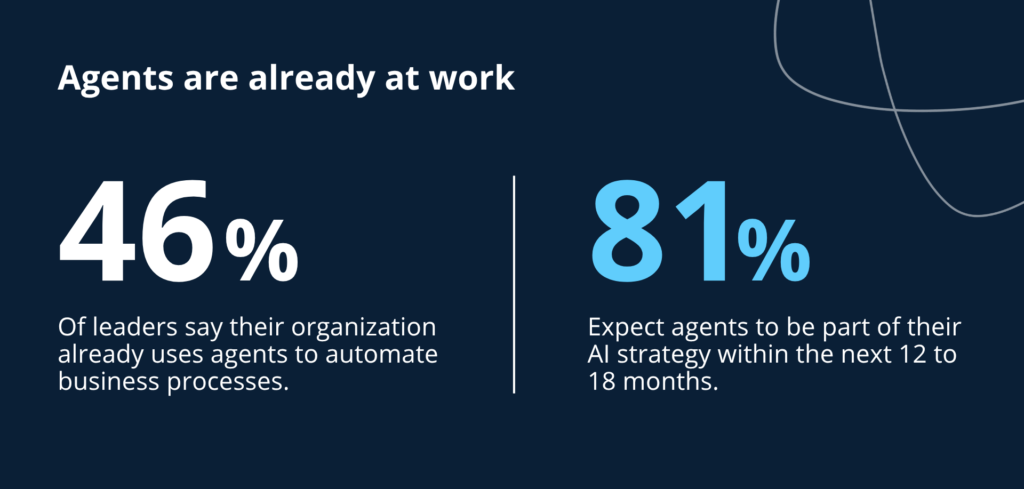
A Copilot agent runs from a goal, deciding and carrying out the steps itself rather than returning results for you to act on. You give it a goal, and it works through the steps to reach that goal, often across multiple systems, sometimes without you watching every move. Microsoft describes these as agents that extend Microsoft 365 Copilot, and you build and manage them in Copilot Studio.
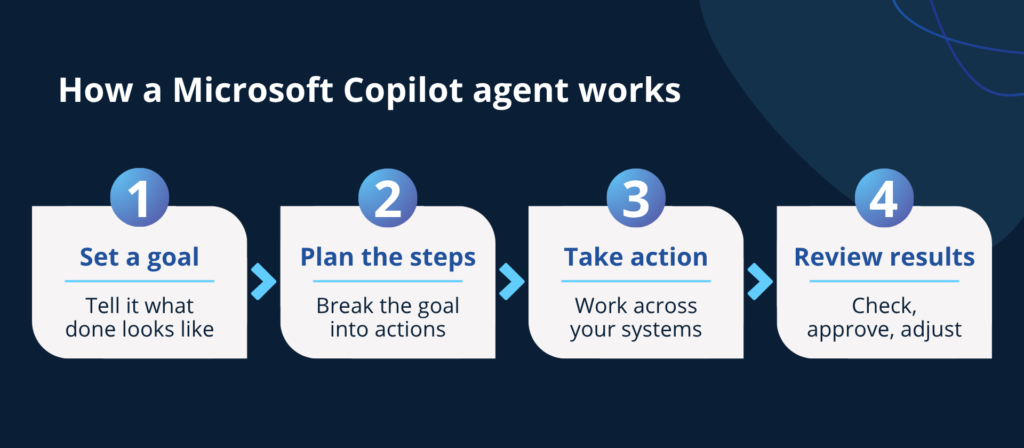
Think of an agent as a fast, literal new hire. It does exactly what you told it to do, exactly the way you set it up, at a speed no human can match. It will not use common sense to fill gaps you forgot to specify, and it will not fix your bad instructions. It follows the recipe. If the recipe is wrong, it makes the wrong thing quickly and confidently.
You would not have a new hire make a judgment call that depends on context nobody wrote down. The same limits apply to agents.
Copilot agents vs. Copilot: what’s the difference?
Use Copilot for help with whatever is in front of you right now: summarize a thread, draft a reply, pull a number out of a report. You ask, it responds, and you decide what to do with the result.
Use a Copilot agent when a specific process repeats and you want it to run on its own: the same onboarding steps every time someone joins, the same triage on every incoming ticket. You set it up once, and it does the job each time without you starting it.
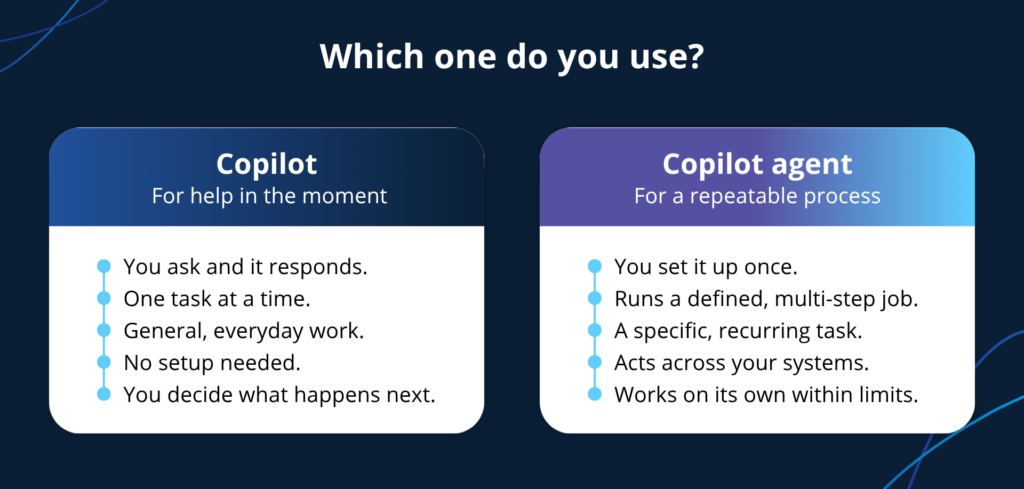
So the real question is not which is better, but what you are trying to do. Reach for Copilot when you want a hand with the task of the moment. Set up an agent when a defined process happens often enough to be worth handing off. A Copilot suggests and you decide; an agent decides and acts inside the boundaries you set, which is why an agent needs more care than a standard Copilot.
When to use a Copilot agent
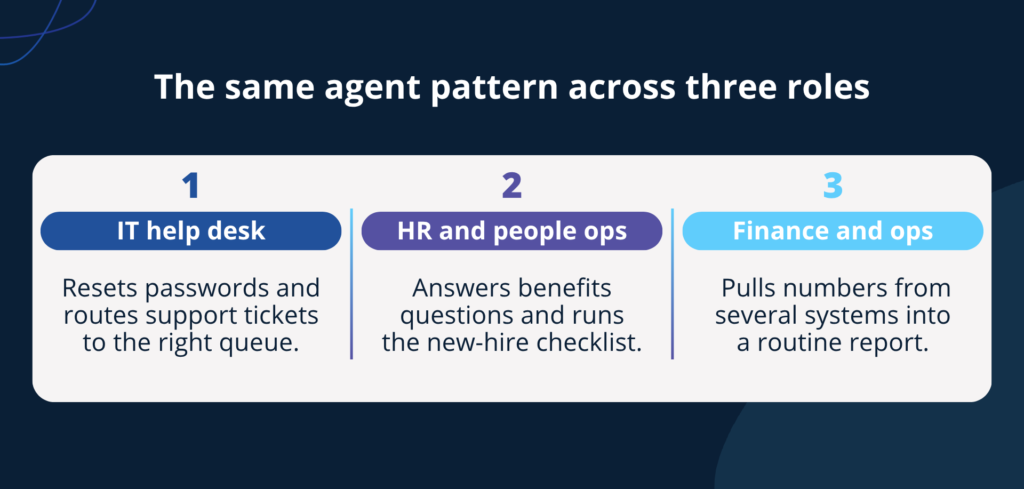
Use a Copilot agent when working with tasks with multiple steps, multiple systems, or repetition that eats people’s time.
Common examples: pulling information from several places into a routine report, running a standard onboarding checklist when a new employee is added, triaging incoming requests and routing them to the right queue, or handling the first pass of a process so a person can focus on the part that needs judgment.
What makes a good Copilot agent use case?
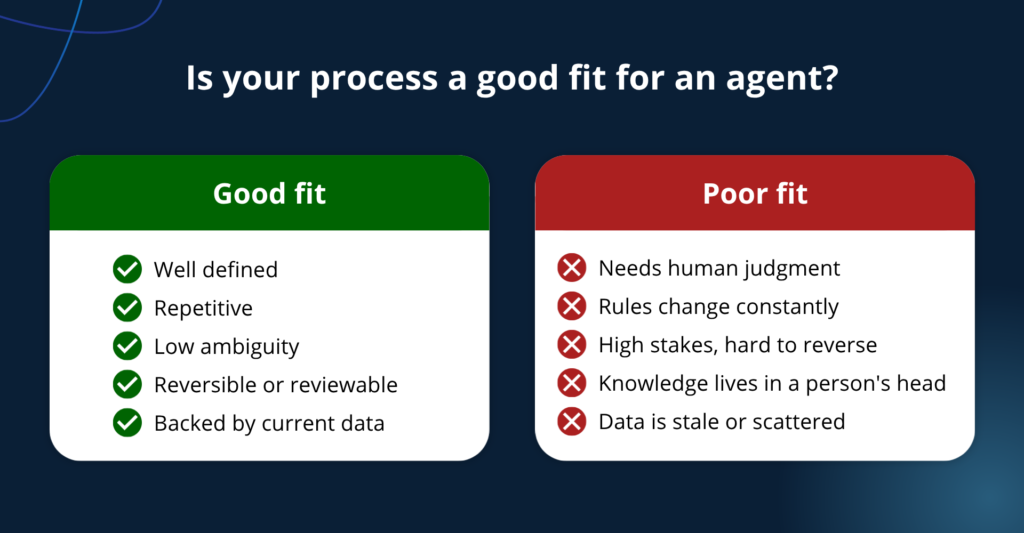
Picking the right process matters more than picking the right technology. A process is a good candidate when it is:
- Well defined. You can describe the steps clearly enough that a new hire could follow them without asking a dozen questions.
- Repetitive. It happens often enough that automating it saves meaningful time.
- Low ambiguity. The inputs are predictable and the right outcome is knowable, not a matter of taste.
- Reversible, or at least reviewable. If something goes wrong, you can catch it and undo it before it becomes a real problem.
- Backed by good data. The information the agent needs exists, is current, and lives somewhere the agent can reach.
A process is a bad candidate when it depends on nuanced human judgment, when the rules change constantly, when the stakes are high and actions are hard to reverse, or when the real knowledge lives in someone’s head instead of a system. Those are the wrong jobs for a literal new hire.
This is where most agent projects go wrong. Gartner expects more than 40% of agentic AI projects to be canceled by the end of 2027, often because the business value was never clear. Choosing the right process is how you stay on the right side of that number.
One test settles most cases: could you write instructions clear enough that a competent stranger could follow them and get it right every time? If yes, you have a candidate. If you keep writing “well, it depends,” you do not.
Governance, permissions, and content hygiene
Permissions come first. An agent operates with the access you give it, so it is only as safe as its boundaries. Loose permissions mean it can act on too much, too fast. Tighten access before you turn anything on. This is the same groundwork behind how to secure Microsoft 365 Copilot before rollout.
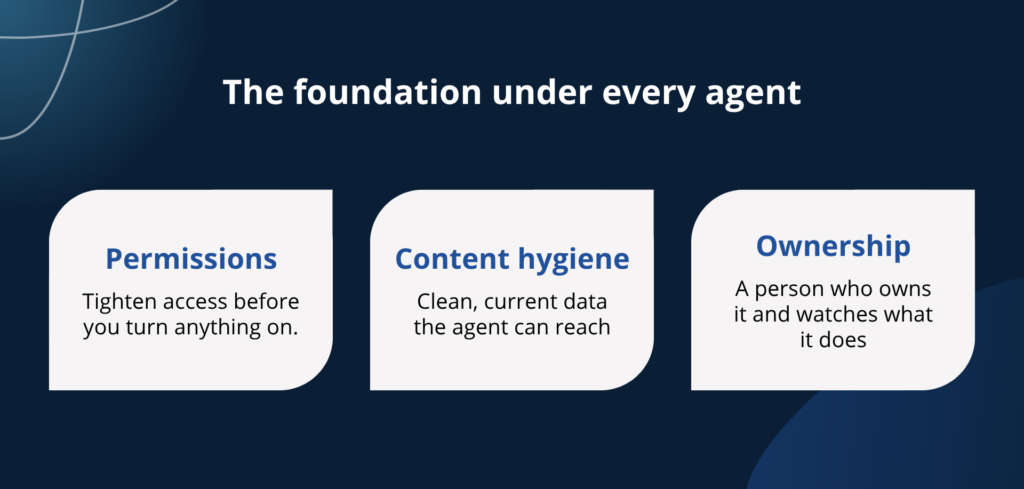
Content hygiene matters just as much with an agent as with a chatbot, if not more. When a chatbot summarizes stale data, you get a wrong answer and probably notice. When an agent acts on stale, duplicated, or conflicting data, you get wrong actions, and they pile up before anyone looks. Old pricing, an outdated policy, three versions of a document with different numbers: an agent will build on the worst of it. Clean, current content is the foundation.
Governance ties it together. Someone owns each agent, knows what it can do, and watches what it does. An agent running in the background with no owner is a surprise waiting to happen.
How to get started with Copilot agents
Three things matter when you start.
First, an agent is a fast, literal helper that follows the setup you give it. Second, good candidates are boring, well-defined, repetitive processes where the right answer is knowable and mistakes are catchable. Third, none of it works without the foundation: tight permissions, clean content, and a human who owns the outcome.
Start with one process nobody enjoys doing. Set clear boundaries, keep a person in the loop, and watch it closely before you trust it further.
FREE EXECUTIVE GUIDE
Before you turn on your first agent, get the environment ready. Download The Executive’s Guide to Getting Ready for Microsoft Copilot for a step-by-step checklist.
Frequently asked questions
Use one when a task has real steps between the ask and the answer, repeats often, has a knowable right outcome, and can be reviewed or undone. Boring, well-defined, high-volume work is the sweet spot. Skip it when the job needs human judgment, shifting rules, or high-stakes actions that are hard to reverse.
A Copilot agent is an AI assistant you give a goal to, and it carries out the steps to reach it, sometimes across several systems and without you watching each move. A standard Copilot answers and drafts on request; an agent acts. You build and manage agents in Microsoft Copilot Studio.
Copilot responds to your prompts and helps with a single step while you stay in control. An agent takes a goal and runs the full sequence on its own.
Common ones assemble a routine report from a few sources, run a new-hire onboarding checklist, triage and route incoming requests, or handle the tedious first pass of a process. The best early wins are boring, well-defined tasks that repeat often.
An agent only acts within the access it is given, so it is as safe as the permissions and governance around it. Tighten permissions, clean up stale or overshared content, and assign a human owner before you turn one on.
Copilot Studio is Microsoft’s platform for building agents, connecting them to your data, and publishing them where your teams work. Microsoft 365 Copilot also offers prebuilt agent templates you can start from, so you don’t always begin from scratch.